Make a Zombie Halloween Rap Video from Your Photo
Watch two AI-generated zombie rap samples, compare their scenes, and use a look with your own portrait. Google sign-in and paid credits are required.
Last updated: 2026-10-26
Explore two AI-generated zombie rap samples below: one in a pumpkin-patch setting and one in a club-light setting. Pick a look to start with your own portrait. Each new generation can differ from the sample.
AI-generated sample. English rap and music are generated automatically. Appearance, motion and lip-sync can vary, and exact lyrics cannot be guaranteed. Google sign-in and paid credits are required to generate your own video.
Sample 1: Bucket Zombie in a pumpkin patch
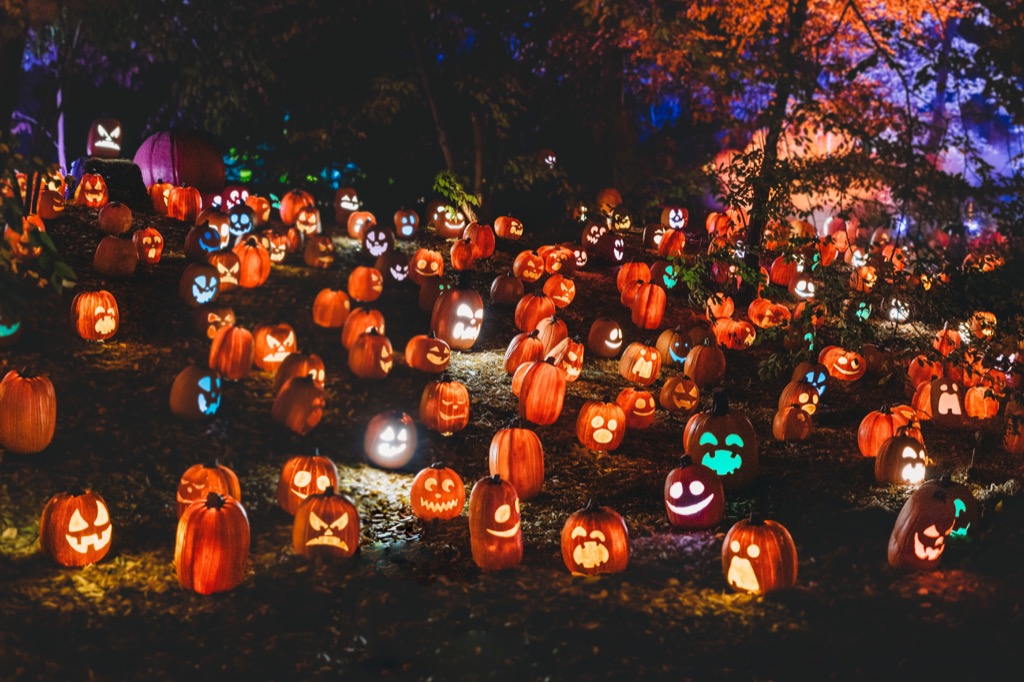
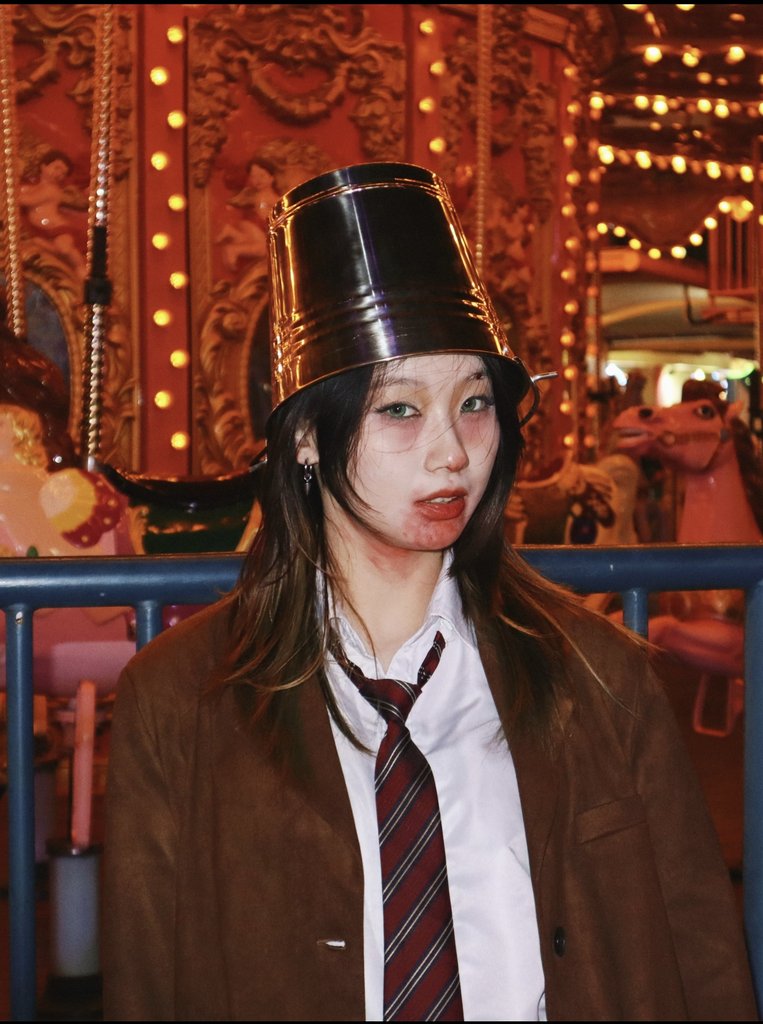
In this real generation, a performer wearing a metal bucket as a hat — blazer, shirt and striped tie — raps into a handheld microphone at night in a pumpkin patch full of carved, colorfully lit jack-o'-lanterns. The camera starts close on the performer and pulls back to show the pumpkin field.
Sample facts: about 5 seconds, vertical 768×1344 frame, generated English rap and music audio. The template default is 5 seconds at 9:16; you can change both after you open it.
The scene and look references this sample was generated from:
Sample 2: Bucket Zombie II under club lights
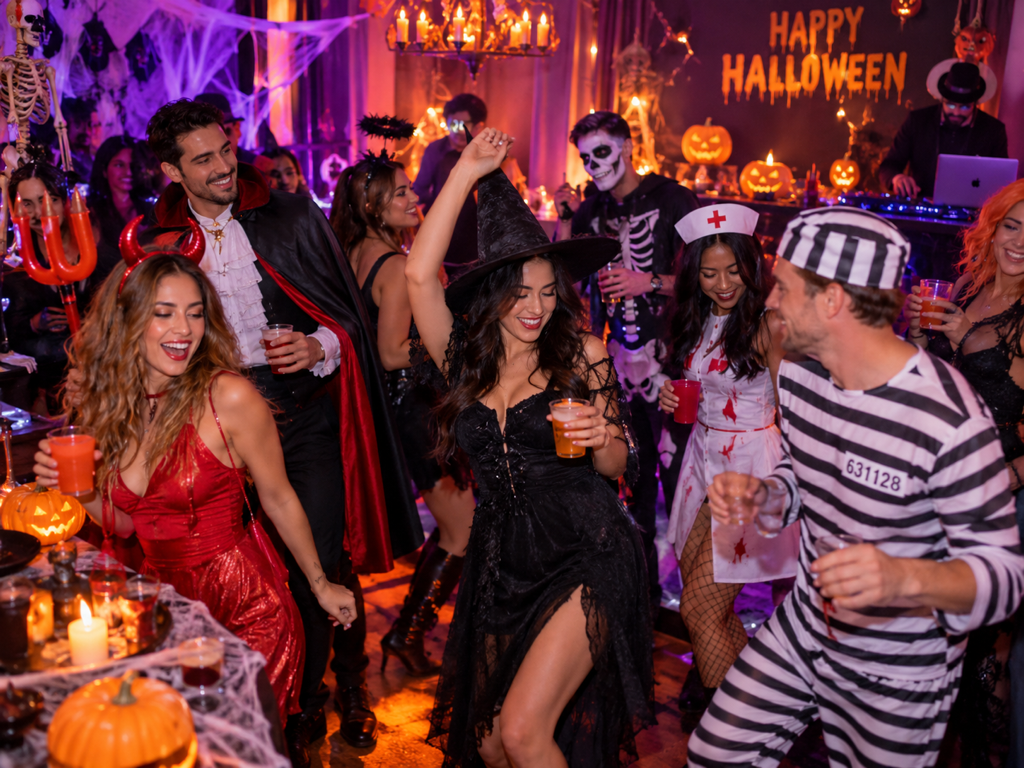
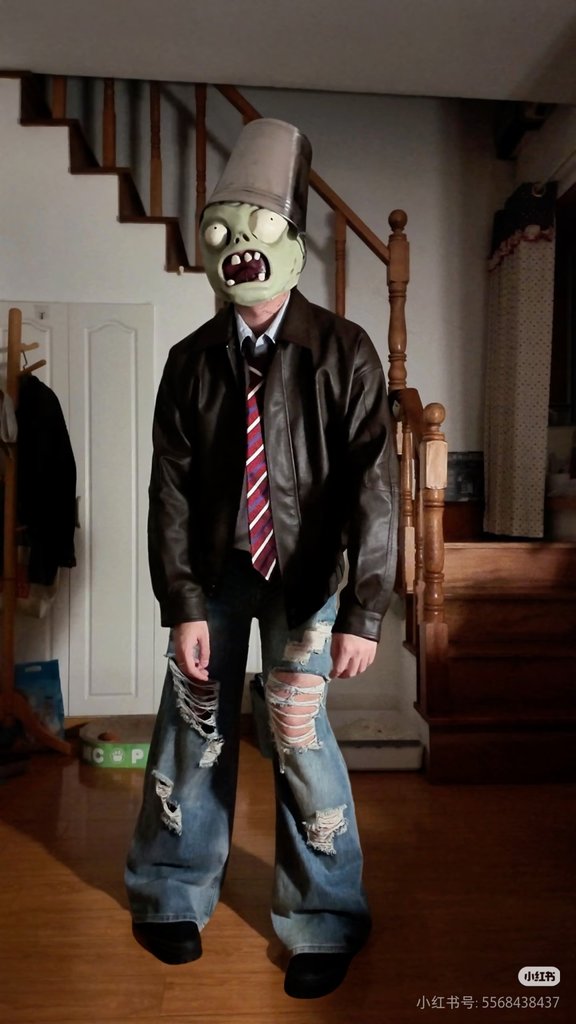
This second generation uses a different look and setting: a performer in a cartoonish green zombie mask and a black witch hat, in a brown coverall with a pumpkin print, raps into a microphone at a crowded indoor Halloween party. Purple and pink club lighting fills the room and other costumed guests dance around the performer.
Sample facts: about 5 seconds, vertical 768×1344 frame, generated English rap and music audio. The template default is 5 seconds at 9:16.
The references behind this version:
How the two zombie samples differ
Both clips are short vertical AI generations with English rap and music, but they read very differently on screen:
- Setting: an outdoor pumpkin patch at night versus an indoor party room with costumed guests.
- Lighting: colorful carved-pumpkin lights versus purple and pink club lighting.
- Look: a metal bucket worn as a hat with blazer-and-tie styling versus a full green zombie mask with a witch hat and coverall.
- Framing: a close-up that pulls back into a wide shot versus a crowded party scene centered on the masked performer.
Each sample was generated with its own template, which fixes that look, scene, camera plan and rap-action plan. Switching templates does not let you pick a specific lyric or move, and no two renders are identical: your own generation will differ from these samples.
Use a zombie look with your own photo
To make your own version: open one of the templates above, upload a clear photo of the person who will appear, keep or replace the scene and look references, then choose your clip length and frame — the creator shows the credit cost before you generate. Sign-in with Google and paid credits are required; appearance, motion and lip-sync vary between generations.
For the full walkthrough, including portrait tips, upload rules and privacy notes, read how to make a Halloween rap video from a photo. Current credit packs are listed on the homepage.
More Halloween rap samples
Prefer a different character? Watch the clown Halloween rap video from a photo, or browse all looks in the homepage sample gallery.